可用Movement
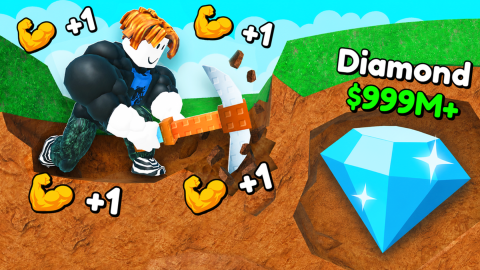
+1 Mine per click Wall Break Speedhack

腳本程式碼
Lua
-- Create GUI Elements
local ScreenGui = Instance.new("ScreenGui")
local MainFrame = Instance.new("Frame")
local Title = Instance.new("TextLabel")
local ExecuteButton = Instance.new("TextButton")

-- Slider 1 Elements (1 - 22)
local Slider1_Frame = Instance.new("Frame")
local Slider1_Fill = Instance.new("Frame")
local Slider1_Btn = Instance.new("TextButton")
local Slider1_Label = Instance.new("TextLabel")

-- Slider 2 Elements (1 - 3)
local Slider2_Frame = Instance.new("Frame")
local Slider2_Fill = Instance.new("Frame")
local Slider2_Btn = Instance.new("TextButton")
local Slider2_Label = Instance.new("TextLabel")

-- Parent GUI safely
local success, err = pcall(function()
    ScreenGui.Parent = game:GetService("CoreGui")
end)
if not success then
    ScreenGui.Parent = game:GetService("Players").LocalPlayer:FindFirstChildOfClass("PlayerGui")
end

ScreenGui.Name = "CobaltReplayer"
ScreenGui.ResetOnSpawn = false

-- Main Window Styling
MainFrame.Name = "MainFrame"
MainFrame.Parent = ScreenGui
MainFrame.BackgroundColor3 = Color3.fromRGB(30, 30, 35)
MainFrame.BorderSizePixel = 0
MainFrame.Position = UDim2.new(0.5, -125, 0.4, -100)
MainFrame.Size = UDim2.new(0, 250, 0, 220)
MainFrame.Active = true
MainFrame.Draggable = true -- Allows you to drag the GUI around your screen

Title.Name = "Title"
Title.Parent = MainFrame
Title.BackgroundTransparency = 1
Title.Size = UDim2.new(1, 0, 0, 35)
Title.Font = Enum.Font.SourceSansBold
Title.Text = "+1 Mine per click wall speedhack"
Title.TextColor3 = Color3.fromRGB(255, 255, 255)
Title.TextSize = 16

-- Configuration Variables
local value1 = 14
local value2 = 1
local isRunning = false

-- SLIDER 1 LOGIC (Range: 1 to 22)
Slider1_Label.Parent = MainFrame
Slider1_Label.Size = UDim2.new(1, 0, 0, 20)
Slider1_Label.Position = UDim2.new(0, 0, 0, 40)
Slider1_Label.BackgroundTransparency = 1
Slider1_Label.Font = Enum.Font.SourceSans
Slider1_Label.TextColor3 = Color3.fromRGB(200, 200, 200)
Slider1_Label.TextSize = 14
Slider1_Label.Text = "Stage: " .. value1

Slider1_Frame.Parent = MainFrame
Slider1_Frame.Size = UDim2.new(0, 200, 0, 10)
Slider1_Frame.Position = UDim2.new(0.5, -100, 0, 65)
Slider1_Frame.BackgroundColor3 = Color3.fromRGB(50, 50, 55)
Slider1_Frame.BorderSizePixel = 0

Slider1_Fill.Parent = Slider1_Frame
-- Initialize position based on default 14 out of 22
Slider1_Fill.Size = UDim2.new((14-1)/(22-1), 0, 1, 0)
Slider1_Fill.BackgroundColor3 = Color3.fromRGB(0, 150, 255)
Slider1_Fill.BorderSizePixel = 0

Slider1_Btn.Parent = Slider1_Frame
Slider1_Btn.Size = UDim2.new(1, 0, 1, 0)
Slider1_Btn.BackgroundTransparency = 1
Slider1_Btn.Text = ""

local function updateSlider1()
    local mouse = game:GetService("Players").LocalPlayer:GetMouse()
    local percentage = math.clamp((mouse.X - Slider1_Frame.AbsolutePosition.X) / Slider1_Frame.AbsoluteSize.X, 0, 1)
    value1 = math.round(1 + (percentage * (22 - 1)))
    Slider1_Fill.Size = UDim2.new((value1-1)/(22-1), 0, 1, 0)
    Slider1_Label.Text = "Stage: " .. value1
end

Slider1_Btn.MouseButton1Down:Connect(function()
    local moveCon, upCon
    updateSlider1()
    moveCon = game:GetService("UserInputService").InputChanged:Connect(function(input)
        if input.UserInputType == Enum.UserInputType.MouseMovement then
            updateSlider1()
        end
    end)
    upCon = game:GetService("UserInputService").InputEnded:Connect(function(input)
        if input.UserInputType == Enum.UserInputType.MouseButton1 then
            moveCon:Disconnect()
            upCon:Disconnect()
        end
    end)
end)


-- SLIDER 2 LOGIC (Range: 1 to 3)
Slider2_Label.Parent = MainFrame
Slider2_Label.Size = UDim2.new(1, 0, 0, 20)
Slider2_Label.Position = UDim2.new(0, 0, 0, 95)
Slider2_Label.BackgroundTransparency = 1
Slider2_Label.Font = Enum.Font.SourceSans
Slider2_Label.TextColor3 = Color3.fromRGB(200, 200, 200)
Slider2_Label.TextSize = 14
Slider2_Label.Text = "Block: " .. value2

Slider2_Frame.Parent = MainFrame
Slider2_Frame.Size = UDim2.new(0, 200, 0, 10)
Slider2_Frame.Position = UDim2.new(0.5, -100, 0, 120)
Slider2_Frame.BackgroundColor3 = Color3.fromRGB(50, 50, 55)
Slider2_Frame.BorderSizePixel = 0

Slider2_Fill.Parent = Slider2_Frame
-- Initialize position based on default 1 out of 3
Slider2_Fill.Size = UDim2.new((1-1)/(3-1), 0, 1, 0)
Slider2_Fill.BackgroundColor3 = Color3.fromRGB(0, 200, 100)
Slider2_Fill.BorderSizePixel = 0

Slider2_Btn.Parent = Slider2_Frame
Slider2_Btn.Size = UDim2.new(1, 0, 1, 0)
Slider2_Btn.BackgroundTransparency = 1
Slider2_Btn.Text = ""

local function updateSlider2()
    local mouse = game:GetService("Players").LocalPlayer:GetMouse()
    local percentage = math.clamp((mouse.X - Slider2_Frame.AbsolutePosition.X) / Slider2_Frame.AbsoluteSize.X, 0, 1)
    value2 = math.round(1 + (percentage * (3 - 1)))
    Slider2_Fill.Size = UDim2.new((value2-1)/(3-1), 0, 1, 0)
    Slider2_Label.Text = "Block: " .. value2
end

Slider2_Btn.MouseButton1Down:Connect(function()
    local moveCon, upCon
    updateSlider2()
    moveCon = game:GetService("UserInputService").InputChanged:Connect(function(input)
        if input.UserInputType == Enum.UserInputType.MouseMovement then
            updateSlider2()
        end
    end)
    upCon = game:GetService("UserInputService").InputEnded:Connect(function(input)
        if input.UserInputType == Enum.UserInputType.MouseButton1 then
            moveCon:Disconnect()
            upCon:Disconnect()
        end
    end)
end)


-- EXECUTE BUTTON & FIRING LOOP
ExecuteButton.Name = "ExecuteButton"
ExecuteButton.Parent = MainFrame
ExecuteButton.BackgroundColor3 = Color3.fromRGB(45, 125, 45)
ExecuteButton.BorderSizePixel = 0
ExecuteButton.Position = UDim2.new(0.5, -80, 0, 160)
ExecuteButton.Size = UDim2.new(0, 160, 0, 40)
ExecuteButton.Font = Enum.Font.SourceSansBold
ExecuteButton.Text = "Start Replay (10s)"
ExecuteButton.TextColor3 = Color3.fromRGB(255, 255, 255)
ExecuteButton.TextSize = 16

ExecuteButton.MouseButton1Click:Connect(function()
    if isRunning then return end -- Don't click it multiple times while running
    isRunning = true
    ExecuteButton.BackgroundColor3 = Color3.fromRGB(150, 50, 50)
    ExecuteButton.Text = "Firing..."

    local Event = game:GetService("ReplicatedStorage").Remotes.Server.HitWall
    local startTime = os.clock()
    local duration = 10

    -- Using a task.spawn so the GUI doesn't freeze up while looping
    task.spawn(function()
        while os.clock() - startTime < duration do
            -- Fires the remote using your live selected slider values!
            Event:FireServer(value1, value2)
            task.wait()
        end

        -- Reset button state when done
        ExecuteButton.BackgroundColor3 = Color3.fromRGB(45, 125, 45)
        ExecuteButton.Text = "Go (10s)"
        isRunning = false
    end)
end)
描述
manual input of block you are standing on (out of 3) and stage input, can be changed while firing the script for 10 seconds at a time to change it dynamically instead of needing to wait
評論 (0)
- 成為第一個評論的人。
常見問題
- 如何使用 +1 Mine per click Wall Break Speedhack 腳本?
- 複製上方的腳本代碼,在 Roblox 中進入 +1 Mine Per Click,然後將代碼貼到你的執行器中並執行。腳本運行後功能會立即生效。
- +1 Mine per click Wall Break Speedhack 還能用嗎?
- 可以 — +1 Mine per click Wall Break Speedhack 目前標記為可用(最近更新:2026年10月18日)。如果在 Roblox 更新後失效,請稍後回來查看修復版本。
- 哪個執行器相容 +1 Mine per click Wall Break Speedhack?
- 此腳本相容大多數熱門 Roblox 執行器。查看我們的執行器頁面,為你的裝置找到可信的免費或付費執行器。