WorkingGeneral
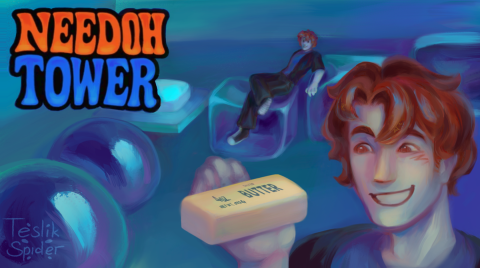
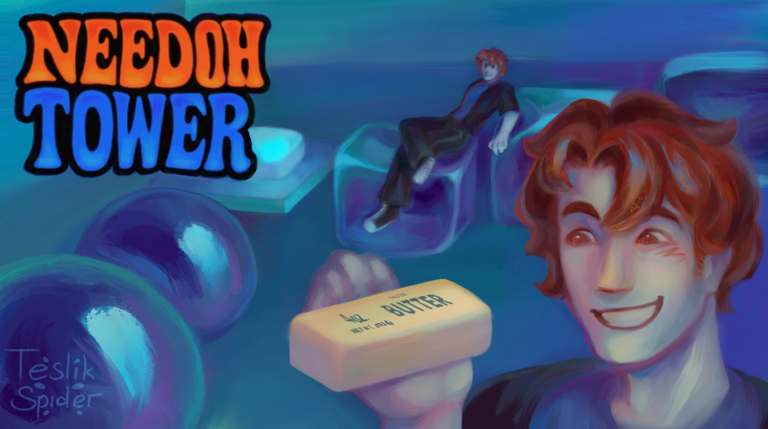
TUFF needoh tower auto script (world 1 only)
Script Code
Lua
local Players = game:GetService("Players")
local ReplicatedStorage = game:GetService("ReplicatedStorage")

local player = Players.LocalPlayer
local checkpoints = workspace:WaitForChild("Checkpoints")
local resetRemote = ReplicatedStorage:WaitForChild("Remotes"):WaitForChild("ResetProgress")

local running = false
local minimized = false

-- UI
local gui = Instance.new("ScreenGui")
gui.Name = "TeleportUI"
gui.ResetOnSpawn = false
gui.Parent = player:WaitForChild("PlayerGui")

-- Main frame
local frame = Instance.new("Frame")
frame.Size = UDim2.new(0, 260, 0, 160)
frame.Position = UDim2.new(0.4, 0, 0.4, 0)
frame.BackgroundColor3 = Color3.fromRGB(35, 35, 35)
frame.Active = true
frame.Draggable = true
frame.Parent = gui

-- Rounded corners
local corner = Instance.new("UICorner")
corner.CornerRadius = UDim.new(0, 10)
corner.Parent = frame

-- Top bar
local topBar = Instance.new("Frame")
topBar.Size = UDim2.new(1, 0, 0, 32)
topBar.BackgroundColor3 = Color3.fromRGB(25, 25, 25)
topBar.Parent = frame

local topCorner = Instance.new("UICorner")
topCorner.CornerRadius = UDim.new(0, 10)
topCorner.Parent = topBar

-- Fix bottom corners (so only top is rounded visually)
local fixBottom = Instance.new("Frame")
fixBottom.Size = UDim2.new(1, 0, 0.5, 0)
fixBottom.Position = UDim2.new(0, 0, 0.5, 0)
fixBottom.BackgroundColor3 = frame.BackgroundColor3
fixBottom.BorderSizePixel = 0
fixBottom.Parent = frame

-- Title
local title = Instance.new("TextLabel")
title.Size = UDim2.new(1, -80, 1, 0)
title.Position = UDim2.new(0, 10, 0, 0)
title.BackgroundTransparency = 1
title.Text = "Checkpoint Teleporter"
title.TextColor3 = Color3.fromRGB(255, 255, 255)
title.Font = Enum.Font.Gotham
title.TextSize = 14
title.TextXAlignment = Enum.TextXAlignment.Left
title.Parent = topBar

-- Close button (top right like Google window)
local closeBtn = Instance.new("TextButton")
closeBtn.Size = UDim2.new(0, 30, 0, 24)
closeBtn.Position = UDim2.new(1, -35, 0, 4)
closeBtn.Text = "✕"
closeBtn.Font = Enum.Font.GothamBold
closeBtn.TextSize = 14
closeBtn.TextColor3 = Color3.fromRGB(255, 80, 80)
closeBtn.BackgroundTransparency = 1
closeBtn.Parent = topBar

-- Minimize button
local minBtn = Instance.new("TextButton")
minBtn.Size = UDim2.new(0, 30, 0, 24)
minBtn.Position = UDim2.new(1, -70, 0, 4)
minBtn.Text = "—"
minBtn.Font = Enum.Font.GothamBold
minBtn.TextSize = 18
minBtn.TextColor3 = Color3.fromRGB(200, 200, 200)
minBtn.BackgroundTransparency = 1
minBtn.Parent = topBar

-- Start button
local startBtn = Instance.new("TextButton")
startBtn.Size = UDim2.new(1, -20, 0, 40)
startBtn.Position = UDim2.new(0, 10, 0, 55)
startBtn.Text = "Start Teleport"
startBtn.Font = Enum.Font.Gotham
startBtn.TextSize = 14
startBtn.BackgroundColor3 = Color3.fromRGB(60, 120, 255)
startBtn.TextColor3 = Color3.fromRGB(255, 255, 255)
startBtn.Parent = frame

local startCorner = Instance.new("UICorner")
startCorner.CornerRadius = UDim.new(0, 8)
startCorner.Parent = startBtn

-- Restore button
local openBtn = Instance.new("TextButton")
openBtn.Size = UDim2.new(0, 140, 0, 35)
openBtn.Position = UDim2.new(0.5, -70, 0.4, 0)
openBtn.Text = "Open Teleporter"
openBtn.Visible = false
openBtn.Font = Enum.Font.Gotham
openBtn.TextSize = 14
openBtn.Parent = gui

local openCorner = Instance.new("UICorner")
openCorner.CornerRadius = UDim.new(0, 8)
openCorner.Parent = openBtn

-- Loop
local function runLoop()
	while running do
		for i = 1, 35 do
			if not running then return end

			local character = player.Character or player.CharacterAdded:Wait()
			local hrp = character:WaitForChild("HumanoidRootPart")

			local checkpoint = checkpoints:WaitForChild(tostring(i))
			hrp.CFrame = checkpoint.CFrame + Vector3.new(0, 3, 0)

			task.wait(0.1)
		end

		task.wait(0.3)
		resetRemote:FireServer()
		task.wait(1)
	end
end

-- Start/Stop
startBtn.MouseButton1Click:Connect(function()
	running = not running
	startBtn.Text = running and "Stop Teleport" or "Start Teleport"

	if running then
		task.spawn(runLoop)
	end
end)

-- Minimize
minBtn.MouseButton1Click:Connect(function()
	frame.Visible = false
	openBtn.Visible = true
end)

-- Restore
openBtn.MouseButton1Click:Connect(function()
	frame.Visible = true
	openBtn.Visible = false
end)

-- Close
closeBtn.MouseButton1Click:Connect(function()
	running = false
	gui:Destroy()
end)
Description
ts tuff trust trust trust trust 99% safe (i ate the 1%)
Comments (0)
Log in to join the conversation
- Be the first to comment.
Frequently asked questions
- How do I use the TUFF needoh tower auto script (world 1 only) script?
- Copy the script code above, join Needoh Tower on Roblox, then paste and execute the code in your executor. The features activate as soon as the script runs.
- Is TUFF needoh tower auto script (world 1 only) still working?
- Yes — TUFF needoh tower auto script (world 1 only) is currently marked as working (last updated Oct 23, 2026). If it breaks after a Roblox update, check back soon for a refreshed version.
- Which executor works with TUFF needoh tower auto script (world 1 only)?
- This script works with most popular Roblox executors. Check our executors page to find a trusted free or paid executor for your device.