
BerfungsiFarming
Auto Script No Key OpenSource
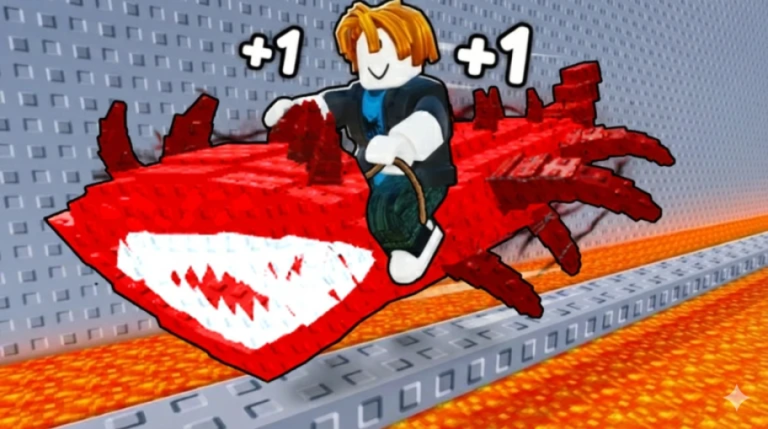
Kode Script
Lua
local Fluent = loadstring(game:HttpGet("https://github.com/dawid-scripts/Fluent/releases/latest/download/main.lua"))()

local TARGET_CFRAME = CFrame.new(9054.45898, 510.283936, -161.780762, 0, 0, -1, 0, 1, 0, 1, 0, 0)

local tpToggle = false
local heartbeatCon
local fireThread

local Window = Fluent:CreateWindow({
    Title = "Chicken Farm",
    SubTitle = "by Benz",
    TabWidth = 160,
    Size = UDim2.fromOffset(580, 460),
    Acrylic = true,
    Theme = "Dark",
    MinimizeKey = Enum.KeyCode.LeftControl
})

local MainTab = Window:AddTab({ Title = "Main", Icon = "home" })

MainTab:AddToggle("MyToggle", {
    Title = "Stick at CFrame",
    Description = "Keeps you at target position",
    Default = false,
    Callback = function(state)
        tpToggle = state
        if tpToggle then
            local player = game.Players.LocalPlayer
            local rs = game:GetService("RunService")

            heartbeatCon = rs.Heartbeat:Connect(function()
                if not tpToggle then heartbeatCon:Disconnect() return end
                if player and player.Character and player.Character:FindFirstChild("HumanoidRootPart") then
                    player.Character.HumanoidRootPart.CFrame = TARGET_CFRAME
                end
            end)

            fireThread = task.spawn(function()
                while tpToggle do
                    pcall(function()
                        if not player or not player.Character then return end
                        local hrp = player.Character:FindFirstChild("HumanoidRootPart")
                        if not hrp then return end

                        local hitbox = workspace:FindFirstChild("Map") and workspace.Map:FindFirstChild("WinsClaim") and workspace.Map.WinsClaim:FindFirstChild("Hitbox")
                        if not hitbox then
                            hitbox = workspace:FindFirstChild("Stage13") and workspace.Stage13:FindFirstChild("Stage11") and workspace.Stage13.Stage11:FindFirstChild("Checkpoint11") and workspace.Stage13.Stage11.Checkpoint11:FindFirstChild("WinsClaim") and workspace.Stage13.Stage11.Checkpoint11.WinsClaim:FindFirstChild("Hitbox")
                        end

                        if hitbox then
                            firetouchinterest(hitbox, hrp, 0)
                            task.wait()
                            firetouchinterest(hitbox, hrp, 1)
                        end
                    end)
                    task.wait()
                end
            end)
        else
            if heartbeatCon then heartbeatCon:Disconnect() end
            if fireThread then task.cancel(fireThread) end
        end
    end
})
Deskripsi
auto script no key open source i don't know i got really bored
Komentar (0)
- Jadilah yang pertama berkomentar.
Pertanyaan yang sering diajukan
- Bagaimana cara menggunakan script Auto Script No Key OpenSource?
- Salin kode script di atas, masuk ke +1 Fish Speed Escape di Roblox, lalu tempel dan jalankan kodenya di executor kamu. Fiturnya langsung aktif begitu script berjalan.
- Apakah Auto Script No Key OpenSource masih berfungsi?
- Ya — Auto Script No Key OpenSource saat ini ditandai berfungsi (terakhir diperbarui 2 Okt 2026). Jika rusak setelah update Roblox, cek kembali untuk versi terbaru.
- Executor mana yang kompatibel dengan Auto Script No Key OpenSource?
- Script ini bekerja dengan sebagian besar executor Roblox populer. Lihat halaman executor kami untuk menemukan executor gratis atau berbayar yang tepercaya untuk perangkat Anda.






