
Fonctionnel
SCRIPT Medium Mode
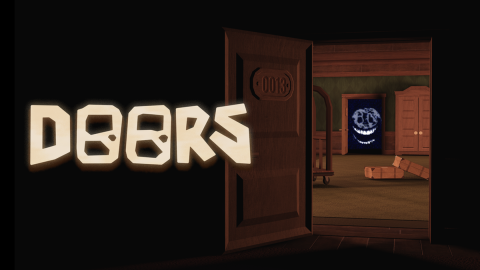
Code du script
Lua
local player = game.Players.LocalPlayer
local character = player.Character or player.CharacterAdded:Wait()
local humanoid = character:WaitForChild("Humanoid")

local stamina = 100
local maxStamina = 100
local staminaDrain = 20
local staminaRegen = 15
local isSprinting = false
local canSprint = true
local sprintCoroutine = nil

local screenGui = Instance.new("ScreenGui")
screenGui.Name = "SprintHUD"
screenGui.Parent = player:WaitForChild("PlayerGui")

local sprintButton = Instance.new("TextButton")
sprintButton.Size = UDim2.new(0, 80, 0, 80)
sprintButton.Position = UDim2.new(1, -100, 0.5, -40)
sprintButton.BackgroundColor3 = Color3.new(0.2, 0.2, 0.2)
sprintButton.BackgroundTransparency = 0.3
sprintButton.Text = "SPRINT"
sprintButton.TextColor3 = Color3.new(1, 1, 1)
sprintButton.TextSize = 14
sprintButton.Font = Enum.Font.SourceSansBold
sprintButton.BorderSizePixel = 2
sprintButton.BorderColor3 = Color3.new(1, 1, 1)
sprintButton.Parent = screenGui

local buttonCorner = Instance.new("UICorner")
buttonCorner.CornerRadius = UDim.new(1, 0)
buttonCorner.Parent = sprintButton

local staminaFrame = Instance.new("Frame")
staminaFrame.Size = UDim2.new(0, 80, 0, 10)
staminaFrame.Position = UDim2.new(1, -100, 0.5, 45)
staminaFrame.BackgroundColor3 = Color3.new(0, 0, 0)
staminaFrame.BackgroundTransparency = 0.5
staminaFrame.BorderSizePixel = 1
staminaFrame.BorderColor3 = Color3.new(1, 1, 1)
staminaFrame.Parent = screenGui

local staminaBar = Instance.new("Frame")
staminaBar.Size = UDim2.new(1, 0, 1, 0)
staminaBar.BackgroundColor3 = Color3.new(0, 1, 0)
staminaBar.BorderSizePixel = 0
staminaBar.Parent = staminaFrame

local staminaText = Instance.new("TextLabel")
staminaText.Size = UDim2.new(1, 0, 1, 0)
staminaText.Position = UDim2.new(0, 0, 0, -12)
staminaText.BackgroundTransparency = 1
staminaText.Text = "100%"
staminaText.TextColor3 = Color3.new(1, 1, 1)
staminaText.TextSize = 10
staminaText.Font = Enum.Font.SourceSansBold
staminaText.Parent = staminaFrame

local function updateBar()
    staminaBar.Size = UDim2.new(stamina / maxStamina, 0, 1, 0)
    staminaText.Text = math.floor(stamina) .. "%"

    if stamina <= 30 then
        staminaBar.BackgroundColor3 = Color3.new(1, 0, 0)
        sprintButton.BackgroundColor3 = Color3.new(0.5, 0, 0)
    elseif stamina <= 60 then
        staminaBar.BackgroundColor3 = Color3.new(1, 1, 0)
        sprintButton.BackgroundColor3 = Color3.new(0.5, 0.5, 0)
    else
        staminaBar.BackgroundColor3 = Color3.new(0, 1, 0)
        sprintButton.BackgroundColor3 = Color3.new(0, 0.5, 0)
    end
end

spawn(function()
    while true do
        wait(0.1)
        if not isSprinting and stamina < maxStamina then
            stamina = math.min(maxStamina, stamina + staminaRegen / 10)
            updateBar()
        end
        if stamina >= maxStamina and not canSprint then
            canSprint = true
            sprintButton.BackgroundTransparency = 0.3
        end
    end
end)

local function stopSprint()
    if isSprinting then
        isSprinting = false
        humanoid.WalkSpeed = 16
        sprintButton.BackgroundColor3 = Color3.new(0.2, 0.2, 0.2)
        sprintButton.BackgroundTransparency = 0.3
        sprintButton.Text = "SPRINT"
        if sprintCoroutine then
            coroutine.close(sprintCoroutine)
            sprintCoroutine = nil
        end
    end
end

local function startSprint()
    if isSprinting then return end
    if canSprint and stamina > 0 then
        isSprinting = true
        humanoid.WalkSpeed = 30
        sprintButton.BackgroundColor3 = Color3.new(0, 0.8, 0)
        sprintButton.BackgroundTransparency = 0
        sprintButton.Text = "SPRINTING"

        sprintCoroutine = coroutine.create(function()
            while isSprinting and stamina > 0 do
                wait(0.1)
                stamina = math.max(0, stamina - staminaDrain / 10)
                updateBar()
                if stamina <= 0 then
                    isSprinting = false
                    canSprint = false
                    humanoid.WalkSpeed = 16
                    sprintButton.BackgroundColor3 = Color3.new(0.3, 0, 0)
                    sprintButton.BackgroundTransparency = 0.5
                    sprintButton.Text = "RECHARGE"
                    break
                end
            end
        end)
        coroutine.resume(sprintCoroutine)
    end
end

sprintButton.MouseButton1Down:Connect(startSprint)
sprintButton.MouseButton1Up:Connect(stopSprint)
sprintButton.TouchTap:Connect(function()
    if isSprinting then stopSprint() else startSprint() end
end)

local UserInputService = game:GetService("UserInputService")
UserInputService.InputBegan:Connect(function(input, gp)
    if gp then return end
    if input.KeyCode == Enum.KeyCode.LeftShift then startSprint() end
end)
UserInputService.InputEnded:Connect(function(input)
    if input.KeyCode == Enum.KeyCode.LeftShift then stopSprint() end
end)

spawn(function()
    while true do
        wait(0.5)
        pcall(function()
            for _, v in pairs(workspace:GetDescendants()) do
                if v:IsA("BasePart")
                and not v:IsDescendantOf(player.Character)
                and not v:FindFirstAncestorOfClass("Tool")
                and not v:FindFirstAncestorOfClass("Accessory") then
                    v.Material = Enum.Material.Slate
                    v.BrickColor = BrickColor.new("Dark stone grey")
                    for _, c in pairs(v:GetChildren()) do
                        if c:IsA("Texture") or c:IsA("Decal") then c:Destroy() end
                    end
                end
                if v.Name:lower():find("door") then
                    for _, child in pairs(v:GetDescendants()) do
                        if child:IsA("BillboardGui") or string.lower(child.Name):find("sign") then
                            child:Destroy()
                        end
                    end
                end
            end
        end)
    end
end)

local lighting = game:GetService("Lighting")
local normalFogStart = 0
local normalFogEnd = 100
local normalFogColor = Color3.fromRGB(10,10,10)
local normalBrightness = 1
local normalAmbient = Color3.fromRGB(5,5,5)
local normalClockTime = 0

local darkFogEnd = 15
local darkBrightness = 1
local darkAmbient = Color3.fromRGB(0,0,0)

lighting.FogStart = normalFogStart
lighting.FogEnd = normalFogEnd
lighting.FogColor = normalFogColor
lighting.Brightness = normalBrightness
lighting.ClockTime = normalClockTime
lighting.OutdoorAmbient = normalAmbient

coroutine.wrap(function()
    while true do
        task.wait(100)
        lighting.FogEnd = darkFogEnd
        lighting.Brightness = darkBrightness
        lighting.OutdoorAmbient = darkAmbient
        pcall(function()
            require(game.Players.LocalPlayer.PlayerGui.MainUI.Initiator.Main_Game).caption("The Light Power Has Been Turned Off ",true)
        end)
        task.wait(10)
        lighting.FogStart = normalFogStart
        lighting.FogEnd = normalFogEnd
        lighting.FogColor = normalFogColor
        lighting.Brightness = normalBrightness
        lighting.ClockTime = normalClockTime
        lighting.OutdoorAmbient = normalAmbient
    end
end)()

pcall(function()
    for _, name in pairs({"Ambience_Hotel", "Ambience_Hotel2"}) do
        local sound = workspace:FindFirstChild(name)
        if sound then sound:Destroy() end
    end
end)

workspace["The Damned"]:Play()
workspace["The Damned"].SoundId = "rbxassetid://9113731836"
workspace["The Damned"].Pitch = 1
workspace["The Damned"].Looped = true
workspace["The Damned"].Volume = 5
function ambiance()
	while true do
		local ambiencefirst = Instance.new("Sound", workspace)
		ambiencefirst.SoundId = "rbxassetid://12229501"
		ambiencefirst.Pitch = 5
		ambiencefirst:Play()
		wait(120)
	end
end
Commentaires (0)
Connectez-vous pour participer à la conversation
- Soyez le premier à commenter.
Questions fréquentes
- Comment utiliser le script SCRIPT Medium Mode ?
- Copiez le code ci-dessus, ouvrez votre exécuteur Roblox, collez le code et appuyez sur exécuter pendant que vous êtes dans le jeu. Les fonctionnalités s'activent instantanément une fois le script lancé.
- Le script SCRIPT Medium Mode est-il gratuit ?
- Oui. Ce script est gratuit à copier et utiliser. S'il utilise un système de clé, suivez le lien « Obtenir la clé » pour le débloquer gratuitement.
- Le script SCRIPT Medium Mode est-il sûr à utiliser ?
- Le code source complet est affiché sur cette page pour que vous puissiez lire exactement ce qu'il fait avant de l'exécuter. Utilisez toujours un exécuteur de confiance, et n'oubliez pas que l'utilisation de scripts est contraire aux conditions d'utilisation de Roblox — utilisez-les à vos propres risques.
- Quel exécuteur fonctionne avec SCRIPT Medium Mode ?
- Ce script fonctionne avec la plupart des exécuteurs Roblox populaires. Consultez notre page d'exécuteurs pour trouver un exécuteur gratuit ou payant fiable pour votre appareil.