
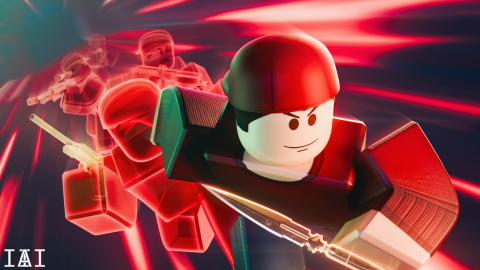
Arsenal Aimbot, Esp, Teamcheck, wallcheck script.
Código del script
-- Name: CraftAimbot
-- Location: StarterPlayerScripts
-- Type: LocalScript

local uis = game:GetService("UserInputService")
local plr = game.Players.LocalPlayer
local cam = workspace.CurrentCamera
local rs = game:GetService("RunService")
local ts = game:GetService("TweenService")

local aimbotEnabled = true
local espEnabled = true
local wallCheckEnabled = true
local aiming = false
local fovRadius = 150
local sensitivity = 0.15

local espObjects = {}

-- FOV Circle Drawing
local fovCircle = Drawing.new("Circle")
fovCircle.Thickness = 1.5
fovCircle.Transparency = 0.6
fovCircle.Color = Color3.fromRGB(90, 130, 255)
fovCircle.Visible = true

-- UI Setup
local ScreenGui = Instance.new("ScreenGui")
ScreenGui.Name = "CraftAimbotUI"
ScreenGui.ResetOnSpawn = false
ScreenGui.DisplayOrder = 2147483647 -- Force to the very front of all other UIs
ScreenGui.IgnoreGuiInset = true -- Allow UI to cover the top bar area
ScreenGui.Parent = plr.PlayerGui

local MainFrame = Instance.new("Frame")
MainFrame.Size = UDim2.new(0, 250, 0, 310)
MainFrame.Position = UDim2.new(0.5, -125, 0.5, -155)
MainFrame.BackgroundColor3 = Color3.fromRGB(15, 15, 20)
MainFrame.BorderSizePixel = 0
MainFrame.Parent = ScreenGui

Instance.new("UICorner", MainFrame).CornerRadius = UDim.new(0, 10)
local UIStroke = Instance.new("UIStroke", MainFrame)
UIStroke.Thickness = 2
UIStroke.Color = Color3.fromRGB(45, 45, 60)

local Header = Instance.new("Frame")
Header.Size = UDim2.new(1, 0, 0, 45)
Header.BackgroundColor3 = Color3.fromRGB(20, 20, 28)
Header.BorderSizePixel = 0
Header.Parent = MainFrame
Instance.new("UICorner", Header).CornerRadius = UDim.new(0, 10)

local Title = Instance.new("TextLabel")
Title.Size = UDim2.new(1, -20, 1, 0)
Title.Position = UDim2.new(0, 15, 0, 0)
Title.BackgroundTransparency = 1
Title.Text = "CRAFT <font color='#5A82FF'>V2</font>"
Title.RichText = true
Title.TextColor3 = Color3.fromRGB(255, 255, 255)
Title.Font = Enum.Font.GothamBold
Title.TextSize = 18
Title.TextXAlignment = Enum.TextXAlignment.Left
Title.Parent = Header

-- Dragging Logic
local dragging, dragInput, dragStart, startPos
local function update(input)
    local delta = input.Position - dragStart
    MainFrame.Position = UDim2.new(startPos.X.Scale, startPos.X.Offset + delta.X, startPos.Y.Scale, startPos.Y.Offset + delta.Y)
end

Header.InputBegan:Connect(function(input)
    if input.UserInputType == Enum.UserInputType.MouseButton1 or input.UserInputType == Enum.UserInputType.Touch then
        dragging = true
        dragStart = input.Position
        startPos = MainFrame.Position

        input.Changed:Connect(function()
            if input.UserInputState == Enum.UserInputState.End then
                dragging = false
            end
        end)
    end
end)

Header.InputChanged:Connect(function(input)
    if input.UserInputType == Enum.UserInputType.MouseMovement or input.UserInputType == Enum.UserInputType.Touch then
        dragInput = input
    end
end)

uis.InputChanged:Connect(function(input)
    if input == dragInput and dragging then
        update(input)
    end
end)

local Content = Instance.new("Frame")
Content.Position = UDim2.new(0, 0, 0, 45)
Content.Size = UDim2.new(1, 0, 1, -45)
Content.BackgroundTransparency = 1
Content.Parent = MainFrame

local UIList = Instance.new("UIListLayout")
UIList.Padding = UDim.new(0, 8)
UIList.HorizontalAlignment = Enum.HorizontalAlignment.Center
UIList.SortOrder = Enum.SortOrder.LayoutOrder
UIList.Parent = Content

Instance.new("UIPadding", Content).PaddingTop = UDim.new(0, 10)

local function createStyledButton(text, order)
    local btn = Instance.new("TextButton")
    btn.Size = UDim2.new(0.9, 0, 0, 35)
    btn.BackgroundColor3 = Color3.fromRGB(30, 30, 40)
    btn.BorderSizePixel = 0
    btn.Text = text
    btn.TextColor3 = Color3.fromRGB(200, 200, 230)
    btn.Font = Enum.Font.GothamMedium
    btn.TextSize = 14
    btn.LayoutOrder = order
    btn.AutoButtonColor = false
    btn.Parent = Content

    Instance.new("UICorner", btn).CornerRadius = UDim.new(0, 6)
    local s = Instance.new("UIStroke", btn)
    s.Thickness = 1
    s.Color = Color3.fromRGB(50, 50, 70)
    s.Transparency = 0.5

    btn.MouseEnter:Connect(function()
        ts:Create(btn, TweenInfo.new(0.2), {BackgroundColor3 = Color3.fromRGB(40, 40, 55)}):Play()
    end)
    btn.MouseLeave:Connect(function()
        ts:Create(btn, TweenInfo.new(0.2), {BackgroundColor3 = Color3.fromRGB(30, 30, 40)}):Play()
    end)

    return btn
end

local ToggleAimbot = createStyledButton("AIMBOT: ENABLED", 1)
local ToggleESP = createStyledButton("ESP: ENABLED", 2)
local ToggleWallCheck = createStyledButton("WALLCHECK: ENABLED", 3)

local FOVBox = Instance.new("TextBox")
FOVBox.Size = UDim2.new(0.9, 0, 0, 35)
FOVBox.BackgroundColor3 = Color3.fromRGB(25, 25, 35)
FOVBox.Text = "FOV: " .. fovRadius
FOVBox.TextColor3 = Color3.fromRGB(150, 150, 170)
FOVBox.Font = Enum.Font.Gotham
FOVBox.TextSize = 14
FOVBox.LayoutOrder = 4
FOVBox.Parent = Content
Instance.new("UICorner", FOVBox).CornerRadius = UDim.new(0, 6)

-- Toggles Logic
ToggleAimbot.MouseButton1Click:Connect(function()
    aimbotEnabled = not aimbotEnabled
    ToggleAimbot.Text = "AIMBOT: " .. (aimbotEnabled and "ENABLED" or "DISABLED")
    fovCircle.Visible = aimbotEnabled
end)

ToggleESP.MouseButton1Click:Connect(function()
    espEnabled = not espEnabled
    ToggleESP.Text = "ESP: " .. (espEnabled and "ENABLED" or "DISABLED")
end)

ToggleWallCheck.MouseButton1Click:Connect(function()
    wallCheckEnabled = not wallCheckEnabled
    ToggleWallCheck.Text = "WALLCHECK: " .. (wallCheckEnabled and "ENABLED" or "DISABLED")
end)

FOVBox.FocusLost:Connect(function()
    local val = tonumber(FOVBox.Text:match("%d+"))
    if val then
        fovRadius = val
        FOVBox.Text = "FOV: " .. val
    else
        FOVBox.Text = "FOV: " .. fovRadius
    end
end)

-- Help logic
local function createESP(v)
    if v == plr then return end
    local box = Drawing.new("Square")
    box.Visible = false
    box.Color = Color3.fromRGB(90, 130, 255)
    box.Thickness = 1
    box.Transparency = 1
    box.Filled = false
    espObjects[v] = box
end

local function removeESP(v)
    if espObjects[v] then
        espObjects[v]:Remove()
        espObjects[v] = nil
    end
end

for _, player in pairs(game.Players:GetPlayers()) do createESP(player) end
game.Players.PlayerAdded:Connect(createESP)
game.Players.PlayerRemoving:Connect(removeESP)

local function isVisible(targetPart)
    if not wallCheckEnabled then return true end
    local char = plr.Character
    if not char or not targetPart then return false end

    local params = RaycastParams.new()
    params.FilterType = Enum.RaycastFilterType.Exclude
    params.FilterDescendantsInstances = {char, targetPart.Parent}

    local origin = cam.CFrame.Position
    local direction = (targetPart.Position - origin)
    local result = workspace:Raycast(origin, direction, params)

    return result == nil
end

local function getClosestPlayer()
    local target, dist = nil, fovRadius
    local mouseLoc = uis:GetMouseLocation()

    for _, v in pairs(game.Players:GetPlayers()) do
        if v ~= plr and v.Character and (v.Team ~= plr.Team or v.Team == nil) then
            local head = v.Character:FindFirstChild("Head")
            local hum = v.Character:FindFirstChild("Humanoid")

            if head and hum and hum.Health > 0 then
                local screenPos, onScreen = cam:WorldToViewportPoint(head.Position)
                if onScreen then
                    local magnitude = (Vector2.new(screenPos.X, screenPos.Y) - mouseLoc).Magnitude
                    if magnitude < dist and isVisible(head) then
                        dist = magnitude
                        target = head
                    end
                end
            end
        end
    end
    return target
end

-- Input handling
uis.InputBegan:Connect(function(input)
    if input.UserInputType == Enum.UserInputType.MouseButton2 then
        aiming = true
    end
end)

uis.InputEnded:Connect(function(input)
    if input.UserInputType == Enum.UserInputType.MouseButton2 then
        aiming = false
    end
end)

-- Main Loop
rs.RenderStepped:Connect(function()
    fovCircle.Position = uis:GetMouseLocation()
    fovCircle.Radius = fovRadius

    if aimbotEnabled and aiming then
        local target = getClosestPlayer()
        if target then
            local targetPos = cam:WorldToViewportPoint(target.Position)
            local mouseLoc = uis:GetMouseLocation()
            mousemoverel((targetPos.X - mouseLoc.X) * sensitivity, (targetPos.Y - mouseLoc.Y) * sensitivity)
        end
    end

    -- ESP Update
    for p, box in pairs(espObjects) do
        if espEnabled and p.Character and p.Character:FindFirstChild("HumanoidRootPart") and p.Character:FindFirstChild("Humanoid") and p.Character.Humanoid.Health > 0 then
            local hrp = p.Character.HumanoidRootPart
            local screenPos, onScreen = cam:WorldToViewportPoint(hrp.Position)

            if onScreen then
                local sizeX = 1000 / screenPos.Z
                local sizeY = 2000 / screenPos.Z
                box.Size = Vector2.new(sizeX, sizeY)
                box.Position = Vector2.new(screenPos.X - sizeX / 2, screenPos.Y - sizeY / 2)
                box.Visible = true
            else
                box.Visible = false
            end
        else
            box.Visible = false
        end
    end
end)
Descripción
**CRAFT V2 | Arsenal Script** CRAFT V2 is a lightweight and efficient combat suite for Arsenal, designed to give you a clinical edge while maintaining a professional-looking interface. This script features a custom-built GUI with a draggable header and responsive toggles for full control over your gameplay. Please read this! To enable aimbot, you need to right-click Key Features: Smooth Aimbot: High-precision aiming using mousemoverel for more natural movement. Right-Click Activation: The aimbot only engages when you hold the Right Mouse Button, allowing you to choose exactly when to lock on. Advanced Wallcheck: Integrated raycasting ensures the aimbot won't lock onto players hidden behind walls or obstacles. Team Check: Automatically ignores teammates so you only track valid hostiles. Dynamic ESP: Clean bounding boxes that scale with player distance, giving you perfect situational awareness. Adjustable FOV: A visual circle shows your aim zone; only targets inside this circle are tracked. You can update the FOV radius directly through the UI. Usage: Open UI: The menu will appear in the center of your screen upon execution. Enable Features: Click the buttons to toggle Aimbot, ESP, and Wallcheck. Adjust FOV: Click the FOV text box and type a number to change the size of your aiming radius. Combat: Hold Right Click while near an enemy to engage the aimbot. Summary This description highlights the professional GUI (CRAFT V2) and explains the technical aspects like smoothing and raycasting in a way that is attractive to users on script-sharing sites. It clearly defines the Right-Click requirement to prevent confusion during use.
Comentarios (0)
Inicia sesión para unirte a la conversación
- Sé el primero en comentar.
Preguntas frecuentes
- ¿Cómo uso el script Arsenal Aimbot, Esp, Teamcheck, wallcheck script.?
- Copia el código de arriba, abre tu executor de Roblox, pega el código y presiona ejecutar mientras estés en el juego. Las funciones se activan instantáneamente una vez que el script se ejecuta.
- ¿El script Arsenal Aimbot, Esp, Teamcheck, wallcheck script. es gratuito?
- Sí. Este script es gratuito para copiar y usar. Si usa un sistema de claves, sigue el enlace «Obtener clave» para desbloquearlo sin costo.
- ¿Es seguro usar el script Arsenal Aimbot, Esp, Teamcheck, wallcheck script.?
- El código fuente completo se muestra en esta página para que puedas leer exactamente qué hace antes de ejecutarlo. Usa siempre un executor de confianza, y recuerda que usar scripts va en contra de los términos de servicio de Roblox — úsalos bajo tu propio riesgo.
- ¿Qué executor funciona con Arsenal Aimbot, Esp, Teamcheck, wallcheck script.?
- Este script funciona con la mayoría de los executores populares de Roblox. Consulta nuestra página de executores para encontrar un executor gratuito o de pago confiable para tu dispositivo.



