
FunktioniertFarming
⚡Skin Upgrader CS2⚡ LEADERBOARD SCRIPT
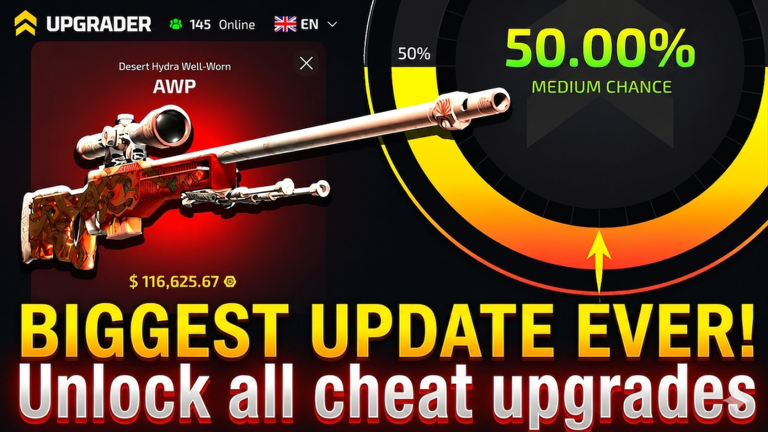
Script-Code
Lua
local ReplicatedStorage = game:GetService("ReplicatedStorage")
local Players = game:GetService("Players")
local TweenService = game:GetService("TweenService")
local UserInputService = game:GetService("UserInputService")

local player = Players.LocalPlayer
local addSkinEvent = ReplicatedStorage:WaitForChild("AddSkinEvent")

local skinName = "Gemini_Generated_Image_5a6smr5a6smr5a6s-removebg-preview"
local running = false

local gui = Instance.new("ScreenGui")
gui.Name = "AvantiSkinUI"
gui.ResetOnSpawn = false
gui.IgnoreGuiInset = true
gui.Parent = player:WaitForChild("PlayerGui")

local panel = Instance.new("Frame")
panel.Size = UDim2.fromOffset(310, 170)
panel.Position = UDim2.new(0.5, -155, 0.5, -85)
panel.BackgroundColor3 = Color3.fromRGB(14, 16, 22)
panel.BackgroundTransparency = 0.08
panel.BorderSizePixel = 0
panel.Parent = gui

Instance.new("UICorner", panel).CornerRadius = UDim.new(0, 18)

local stroke = Instance.new("UIStroke")
stroke.Color = Color3.fromRGB(110, 130, 255)
stroke.Transparency = 0.35
stroke.Thickness = 1.4
stroke.Parent = panel

local gradient = Instance.new("UIGradient")
gradient.Color = ColorSequence.new({
	ColorSequenceKeypoint.new(0, Color3.fromRGB(23, 28, 42)),
	ColorSequenceKeypoint.new(1, Color3.fromRGB(9, 11, 18))
})
gradient.Rotation = 35
gradient.Parent = panel

local padding = Instance.new("UIPadding")
padding.PaddingTop = UDim.new(0, 18)
padding.PaddingBottom = UDim.new(0, 18)
padding.PaddingLeft = UDim.new(0, 18)
padding.PaddingRight = UDim.new(0, 18)
padding.Parent = panel

local title = Instance.new("TextLabel")
title.Size = UDim2.new(1, -80, 0, 26)
title.BackgroundTransparency = 1
title.Text = "AVANTI SKIN"
title.TextColor3 = Color3.fromRGB(245, 247, 255)
title.TextSize = 20
title.Font = Enum.Font.GothamBold
title.TextXAlignment = Enum.TextXAlignment.Left
title.Parent = panel

local status = Instance.new("TextLabel")
status.Size = UDim2.fromOffset(70, 26)
status.Position = UDim2.new(1, -70, 0, 0)
status.BackgroundColor3 = Color3.fromRGB(36, 40, 52)
status.Text = "OFF"
status.TextColor3 = Color3.fromRGB(180, 186, 205)
status.TextSize = 12
status.Font = Enum.Font.GothamBold
status.Parent = panel

Instance.new("UICorner", status).CornerRadius = UDim.new(1, 0)

local subtitle = Instance.new("TextLabel")
subtitle.Size = UDim2.new(1, 0, 0, 22)
subtitle.Position = UDim2.fromOffset(0, 32)
subtitle.BackgroundTransparency = 1
subtitle.Text = "AddSkinEvent automation"
subtitle.TextColor3 = Color3.fromRGB(135, 143, 165)
subtitle.TextSize = 13
subtitle.Font = Enum.Font.Gotham
subtitle.TextXAlignment = Enum.TextXAlignment.Left
subtitle.Parent = panel

local button = Instance.new("TextButton")
button.Size = UDim2.new(1, 0, 0, 54)
button.Position = UDim2.fromOffset(0, 78)
button.BackgroundColor3 = Color3.fromRGB(80, 105, 255)
button.Text = "START"
button.TextColor3 = Color3.fromRGB(255, 255, 255)
button.TextSize = 16
button.Font = Enum.Font.GothamBold
button.AutoButtonColor = false
button.Parent = panel

Instance.new("UICorner", button).CornerRadius = UDim.new(0, 14)

local buttonStroke = Instance.new("UIStroke")
buttonStroke.Color = Color3.fromRGB(180, 195, 255)
buttonStroke.Transparency = 0.35
buttonStroke.Thickness = 1
buttonStroke.Parent = button

local buttonGradient = Instance.new("UIGradient")
buttonGradient.Color = ColorSequence.new({
	ColorSequenceKeypoint.new(0, Color3.fromRGB(88, 128, 255)),
	ColorSequenceKeypoint.new(1, Color3.fromRGB(178, 88, 255))
})
buttonGradient.Rotation = 20
buttonGradient.Parent = button

local glow = Instance.new("Frame")
glow.Size = UDim2.new(1, -28, 0, 16)
glow.Position = UDim2.new(0, 14, 1, -10)
glow.BackgroundColor3 = Color3.fromRGB(110, 110, 255)
glow.BackgroundTransparency = 0.65
glow.BorderSizePixel = 0
glow.ZIndex = panel.ZIndex - 1
glow.Parent = panel

Instance.new("UICorner", glow).CornerRadius = UDim.new(1, 0)

local function tween(object, props, time)
	TweenService:Create(
		object,
		TweenInfo.new(time or 0.22, Enum.EasingStyle.Quart, Enum.EasingDirection.Out),
		props
	):Play()
end

local function updateUI()
	if running then
		button.Text = "STOP"
		status.Text = "LIVE"

		tween(status, {
			BackgroundColor3 = Color3.fromRGB(35, 210, 145),
			TextColor3 = Color3.fromRGB(255, 255, 255)
		})

		tween(button, {
			BackgroundColor3 = Color3.fromRGB(255, 70, 115)
		})

		buttonGradient.Color = ColorSequence.new({
			ColorSequenceKeypoint.new(0, Color3.fromRGB(255, 80, 120)),
			ColorSequenceKeypoint.new(1, Color3.fromRGB(255, 160, 80))
		})
	else
		button.Text = "START"
		status.Text = "OFF"

		tween(status, {
			BackgroundColor3 = Color3.fromRGB(36, 40, 52),
			TextColor3 = Color3.fromRGB(180, 186, 205)
		})

		tween(button, {
			BackgroundColor3 = Color3.fromRGB(80, 105, 255)
		})

		buttonGradient.Color = ColorSequence.new({
			ColorSequenceKeypoint.new(0, Color3.fromRGB(88, 128, 255)),
			ColorSequenceKeypoint.new(1, Color3.fromRGB(178, 88, 255))
		})
	end
end

button.MouseEnter:Connect(function()
	tween(button, { Size = UDim2.new(1, 0, 0, 58) }, 0.18)
end)

button.MouseLeave:Connect(function()
	tween(button, { Size = UDim2.new(1, 0, 0, 54) }, 0.18)
end)

button.MouseButton1Click:Connect(function()
	running = not running
	updateUI()

	if running then
		task.spawn(function()
			while running do
				addSkinEvent:FireServer(skinName)
				task.wait(0.1)
			end
		end)
	end
end)

local dragging = false
local dragStart
local startPos

panel.InputBegan:Connect(function(input)
	if input.UserInputType == Enum.UserInputType.MouseButton1 then
		dragging = true
		dragStart = input.Position
		startPos = panel.Position
	end
end)

panel.InputEnded:Connect(function(input)
	if input.UserInputType == Enum.UserInputType.MouseButton1 then
		dragging = false
	end
end)

UserInputService.InputChanged:Connect(function(input)
	if dragging and input.UserInputType == Enum.UserInputType.MouseMovement then
		local delta = input.Position - dragStart
		panel.Position = UDim2.new(
			startPos.X.Scale,
			startPos.X.Offset + delta.X,
			startPos.Y.Scale,
			startPos.Y.Offset + delta.Y
		)
	end
end)

updateUI()
Beschreibung
Use it for like 30 mins to be on leaderboard
Kommentare (0)
Melde an, um an der Unterhaltung teilzunehmen
- Sei der Erste, der kommentiert.
Häufig gestellte Fragen
- Wie verwende ich den ⚡Skin Upgrader CS2⚡ LEADERBOARD SCRIPT-Script?
- Kopiere den Script-Code oben, tritt Universal auf Roblox bei, füge den Code in deinen Executor ein und führe ihn aus. Die Funktionen werden aktiv, sobald das Script läuft.
- Funktioniert ⚡Skin Upgrader CS2⚡ LEADERBOARD SCRIPT noch?
- Ja — ⚡Skin Upgrader CS2⚡ LEADERBOARD SCRIPT ist derzeit als funktionierend markiert (zuletzt aktualisiert: 26. Okt. 2026). Falls es nach einem Roblox-Update nicht mehr läuft, schau bald wieder für eine aktualisierte Version vorbei.
- Welcher Executor funktioniert mit ⚡Skin Upgrader CS2⚡ LEADERBOARD SCRIPT?
- Dieser Script funktioniert mit den meisten beliebten Roblox-Executoren. Besuche unsere Executor-Seite, um einen vertrauenswürdigen kostenlosen oder kostenpflichtigen Executor für dein Gerät zu finden.



